




Price: $299.00 - $169.00
(as of Nov 28, 2025 17:38:54 UTC – Details)
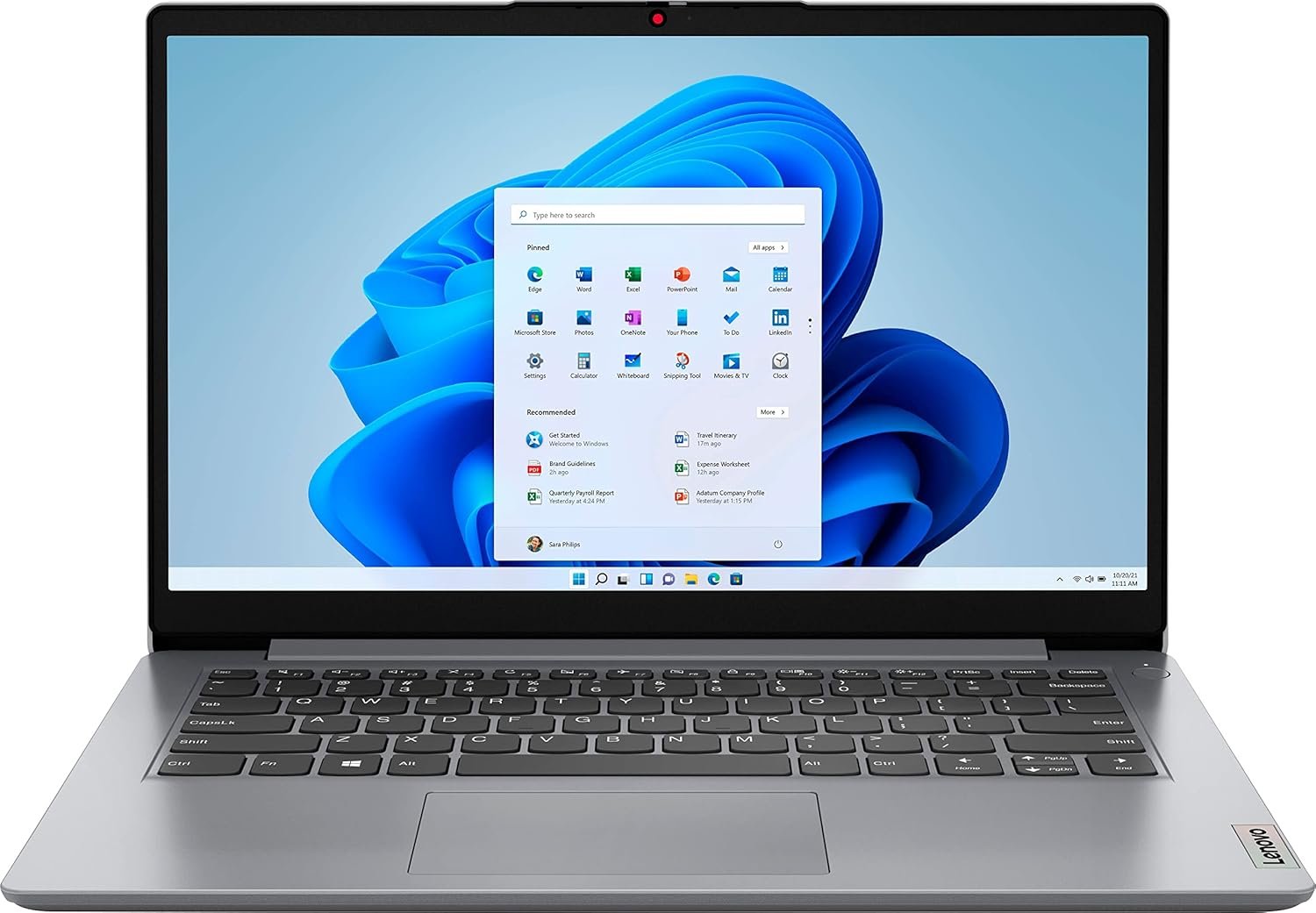
Lenovo IdeaPad 1 14 Laptop: The Perfect Everyday Companion
Finding a reliable, budget-friendly laptop can be a daunting task. Meet the Lenovo IdeaPad 1 14 Laptop—an excellent choice for students, professionals, and casual users alike. With its lightweight design and efficient performance, this laptop is tailored for everyday computing tasks, from browsing the web to streaming videos. Let’s dive into what makes this laptop a fantastic option for your daily needs.
Features & Specifications
- Display: 14.0″ HD Display with narrow bezels
- Processor: Intel Celeron N4020
- RAM: 4GB DDR4
- Storage: 64GB M.2 PCIe SSD
- Graphics: Intel UHD Graphics 600
- Operating System: Windows 11 in S Mode
- Audio: Dolby Audio with dual stereo speakers
- Weight: Just over 3 lbs
- Connectivity: WiFi 802.11 ac, Bluetooth 4.1
- Ports: 2 x USB 3.1 Gen 1 (Type-A), MicroSD Card Reader, HDMI, Microphone/Earphone Combo
- Color: Cloud Grey
Pros and Cons
Pros
- Lightweight and Portable: Weighs just over 3 lbs, making it easy to carry.
- Solid Performance: The Intel Celeron N4020 processor handles basic tasks efficiently.
- Enhanced Audio: Crystal-clear sound through Dolby Audio.
- User-Friendly OS: Windows 11 in S Mode offers streamlined functionality.
- Affordable Price Point: Great value for money.
Cons
- Limited Storage: 64GB might not be sufficient for heavy users.
- Only Basic Graphics: Not suitable for demanding gaming or graphic design tasks.
- RAM Limitations: 4GB RAM can affect multitasking capabilities.
Detailed Review
Performance
The Lenovo IdeaPad 1 14 Laptop powers through daily tasks thanks to the Intel Celeron N4020 processor. While it’s not designed for heavy-duty gaming or software like video editing tools, it performs admirably for browsing, streaming, and running essential applications. Users can expect seamless performance when handling multiple tabs or running lightweight software.
Quality
The build quality of this laptop is impressive for its price range. The 14.0″ HD display offers vibrant colors and decent viewing angles, perfect for streaming your favorite shows or working on assignments. The Dolby Audio ensures that you enjoy high-quality sound, making it an excellent option for media consumption.
Ease of Use
Windows 11 in S Mode provides a familiar interface that’s user-friendly, especially for those new to computers. While the restricted application ecosystem might be a downside for some, it enhances security and overall performance.
Value for Money
With a price point that fits nicely within most budgets, the Lenovo IdeaPad 1 14 Laptop delivers outstanding value. It’s not overloaded with features, but it offers everything that the average user needs for everyday tasks.
Who Should Buy This?
This laptop is ideal for:
- Students needing a reliable device for notes and coursework.
- Professionals who require a lightweight laptop for presentations, emails, and video calls.
- Casual users interested in browsing, streaming, and social media.
Final Verdict
In conclusion, the Lenovo IdeaPad 1 14 Laptop is a commendable everyday companion for those seeking reliability, portability, and quality performance without breaking the bank. If you’re interested in making this laptop your next tech investment, check it out on Amazon today. You won’t be disappointed!


Stella Carrier –
Easier To Utilize for Multiple Functions Than I Thought However
I admit that my loving husband purchased this Lenovo IdealPad 1 14 Laptop computer to show his support towards my long term navy career ambitions. Some of the professional requirements that relate to my navy reserve goals require a computer equipped with a working cac card reader that will enable me to access certain online navy related sites for professional courses and other military related online training requirements. The good news: I was able to at least test drive going to at least the front page of certain navy related sites easier than I thought it would be. Additionally, I was able to get into establishing a new hotmail account, signing into one of my gmail accounts and easily signing into the amazon account (that is connected to the review I am writing this on). The caveats: patience is necessary with this type of computer because I had noticed already logging on to some of the websites required some time. Additionally, both my husband and I realized that I am obviously going to have to both eventually browse around and inquire both online and offline for help towards permanently installing the software necessary to access a multiple number of the required online navy sites with the cac card reader I already bought (for training and other requirements mandatory for my navy reserve career). Aside from those caveats, I truly feel lucky that my sweet husband surprised me with this laptop gift and I obviously intend to utilize this computer for multiple months to come.
Steve –
good quality
Bought as a gift for my daughter. She is pretty hard on it, but its lasting with no problem so its a pretty good quality. I would recomend
Manoj Mittal –
Very Slow
This laptop is useless. Extremely slow and limited. It takes 5-10 seconds for the keyboard commands to execute. The 4GB RAM is not enough and the RAM is not upgradable. Worst part was that the vendor (RAYDES) has been extremely uncooperative in resolving my issue.
S.E.A. –
You CAN take it out of S Mode!
Contrary to what a different reviewer said, YOU *CAN* TAKE IT OUT OF S MODE (!!!) to download non-Windows Store applications. It’s just hidden, and not like the tutorials online. Here’s how to do it:Click Start (blue square made out of four smaller squares)Click Settings (or search Settings from the search bar)In the Settings search bar, type “S Mode” and click on the resultClick “Turn off S Mode”It will open multiple different screens and windows after this, each asking that ask you to confirm multiple times that you want to do this.((They make it seem threatening and bad, but turning off S Mode HUGELY improved the performance of this laptop. Before S Mode = trapped on Microsoft Edge and lagging, lagging, lagging. After S Mode = using Chrome, getting work done.YOU WANT TO TURN OFF S MODE.))Confirm yes for each screen that it asks you to confirm.Boom — now you’re out of the silly little S Mode that keeps you tied to Microsoft only products, and you’re able to use your laptop like a regular PC.Now to the general review:GREAT value. Good battery life. Light. Sturdy seeming shell. Giving this laptop 4 stars for now.Minus one star for all the effort I’ve had to put in turning off the built in Microsoft silliness… the S mode, the pop up advertisements, the attempts to constantly get me to do things I absolutely do not want to do like download gaming centers etc. All these things are able to be turned off however.Four stars because I’ve so far exclusively been using G Workspace and iCloud Workspace on the Chrome browser, integrating add-ons such as the iCloud password app etc., and I’ve run into no problems thus far. I have about 15-20 tabs open at any given time between these two Workspaces and am seeing no lagging or loading issues. I’ve been a Mac person for decades but can’t afford a new one, so I thought why not try out this cheap Windows jam and see if it can help me get work done in the meantime? It’s going swimmingly well, and I really appreciate the battery life on the laptop — plenty long enough for a full work day unplugged. The graphics could be better but hey this is a sub-$200 laptop that I got on Prime. If you need a simple laptop for browser based cloud work, this is a great option.
Runelle August –
Strong and amazing
I love this laptop very good and was affordable
Gustavo Lausi –
Ok
Ok
T. Francis –
Ok purchase
Mine broke in 3 months.
Candace M. –
Contented
Works perfectly…..has that professional look
Gerardo –
Este fue un regalo de navidad y llegó a tiempo. Es una buena opción por su relación calidad-precio, tiene un muy buen diseño. Si buscas algo para jugar o que sea más rápida, recomiendo otras opciones ya que esta computadora la compré de regalo para uso sencillo (navegar en internet). Hasta ahora todo funciona muy bien y sin ningún problema. Recuerda que tiene instalado el Modo S (aunque se puede quitar).
Edison Missao Watanabe –
Otimo
Natalie H. –
Ich habe leider nirgends entnehmen können, dass es scheinbar ein amerikanischer Stecker zum Aufladen dabei ist. Das ist schade :/
Marvin –
La verdad es un beneficio grande a muy bajo costo. Recomiendo a todos aprovechen las oportunidades como ésta laptop, la cual compre en perfectas condiciones y cumple con la descripción
Ruben Alejandro Pérez Zermeño –
La laptop está más que excelente a muy buen precio, calidad y con el office 365 de regalo muy recomendable