


The Apple Mac mini M4: An Impressive Bargain in Computing
The Apple Mac mini M4 is arguably the biggest bargain in computing. This (almost) pocket-sized mini Mac is fast, powerful, near-silent, and costs around half the price of the cheapest equivalent MacBook Air. It’s almost too good to be true.
I bought one last month, my first new Mac since the MacBook Air M1 in 2020, and it’s given me that same sense of ‘how did they do that?’ wonder.


We described it as “the best small form factor PC” in our Mac mini M4 review – and with good reason. I can’t believe how quiet it is, how small it is, how swift it is at doing things that my now-slightly creaking M1 MacBook Air struggles with (such as opening more than 10 Chrome tabs at once).
The Problem: Apple’s SSD Storage is Overpriced
(Image credit: Apple)
The simple fact is that Apple charges too much for SSD storage. Like way too much.
The base Mac mini M4, with 16GB RAM and a paltry 256GB SSD, costs $599 / £599. While it really is one of the best bargains in computing history, that’s despite the storage on offer, rather than because of it.
Doubling it to 512GB costs another $200 / £200, and bumping it up to 1TB doubles that again. The maximum SSD size available on the base M4 is 2TB – and for that you’d pay a whopping $1,399 / £1,399. That’s $800 / £800 extra for another 1.75TB of SSD storage.
The Solution: Upgrading Your Storage
There are alternatives to Apple’s expensive SSD options. Consider buying an external enclosure and NVMe storage. This approach not only saves money but also provides flexibility.
When comparing costs, Apple’s prices per gigabyte for SSD upgrades are often staggering. For instance, upgrading from 256GB to 512GB costs about $0.78 per GB, while the more reasonable third-party SSD options like the Samsung 990 Pro sell for around $0.10 per GB.
The solution is straightforward: either buy a portable SSD for convenience or opt for an internal SSD with an external enclosure for better performance and value.
Your External Storage Options
(Image credit: Future)
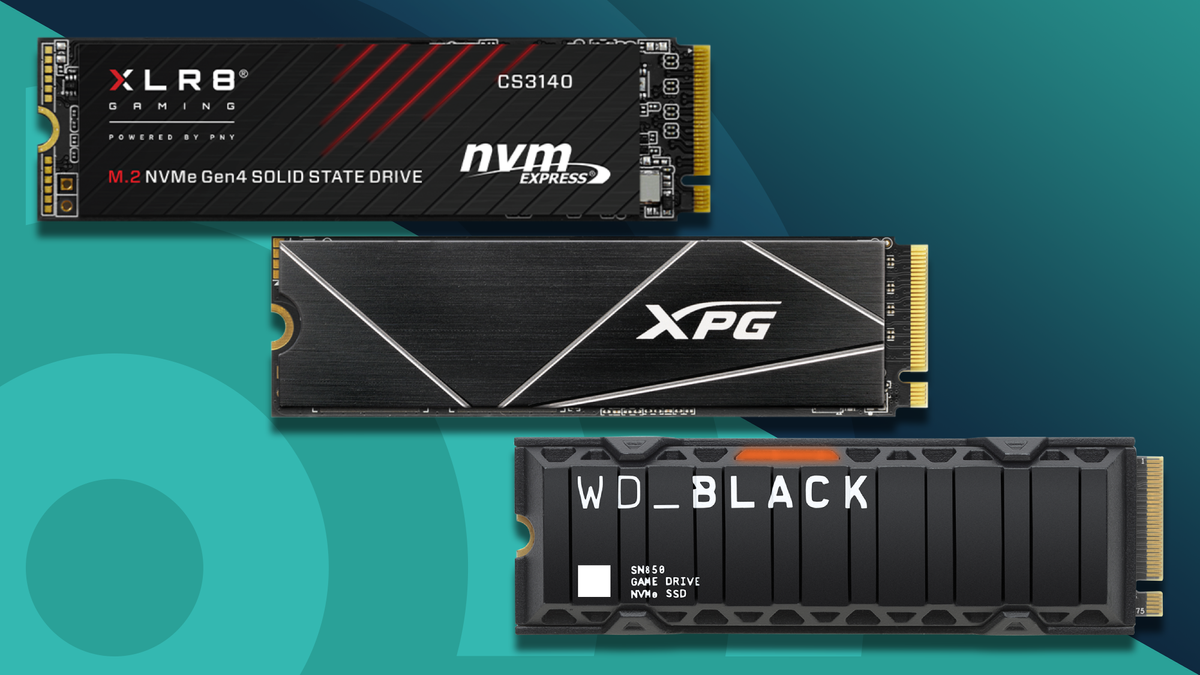
External storage can plug into any of the five USB-C ports available on the Mac mini. Thunderbolt 4 ports will offer the fastest speeds, so choosing an NVMe SSD that supports this is advisable.
To maximize speed, look for an M.2 NVMe SSD, ideally one rated for PCIe 4.0, such as the Samsung 990 Pro which boasts impressive read and write speeds.
Reviewing My Choices: What I Selected
(Image credit: Samsung)
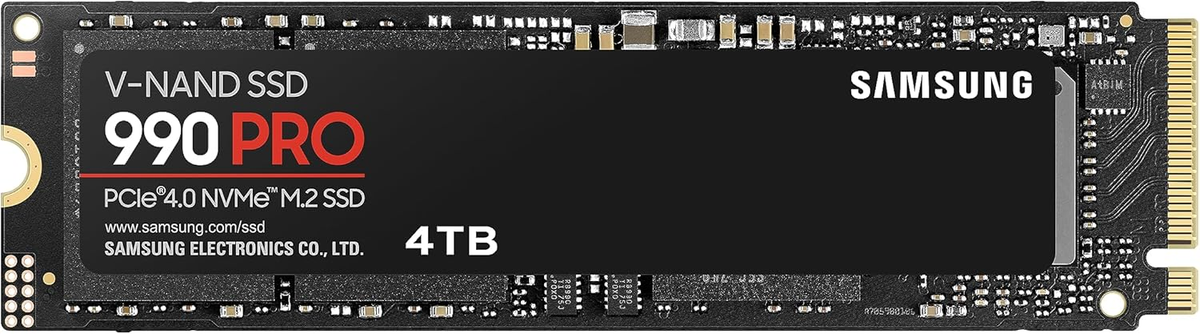
SSD: Samsung 990 Pro M.2 NVMe 4TB
I chose the Samsung 990 Pro M.2 NVMe in its 4TB configuration for £257, which equates to roughly 6 pence per GB. This setup not only saves me significant costs compared to Apple’s options but also improves my Mac’s performance.
Putting It All Together: A Seamless Experience
The installation process for my chosen OWC Express 1M2 enclosure was straightforward, even for someone not particularly tech-savvy. With helpful video guides available, the entire process of connecting and setting up takes no more than five minutes.
Connecting the enclosure to a Thunderbolt 4 port ensures I enjoy superior speed and stability, making the external SSD feel almost as integrated as an internal one.
With read and write speeds faster than the internal SSD—3,100 MB/s—I noticed no real-world performance degradation, making this upgrade one of my best tech decisions.
Final Thoughts
The Apple Mac mini M4, combined with an external NVMe SSD, is an economical and high-performance choice for users needing reliable computing. By avoiding costly upgrades through Apple, I’ve optimized both my storage capacity and performance.
For more insights and details on how to maximize your Mac mini experience, check out the full article Here.
Image Credit: www.techradar.com


