


As the school year approaches, many students are contemplating upgrades to their devices. For countless learners, a laptop is as vital as textbooks, serving as both a tool for academic assignments and a source of entertainment. However, with a diverse selection of models available, how do you choose the right one for your needs?
Chromebooks present a compelling alternative to traditional Windows and Mac devices, boasting several advantages. One of the most significant benefits is their affordability, making them particularly attractive to younger users and budget-conscious buyers.


Owing to these qualities, Chromebooks have become almost synonymous with student laptops. But are even the best Chromebooks equipped to handle your academic responsibilities? Let’s delve into this and explore their overall suitability for education.
Chromebook Advantages
The most notable attraction of Chromebooks is their price range. While costs can differ between models, they generally offer a more budget-friendly option compared to their Windows and MacBook counterparts. For instance, the Asus Chromebook CM14 retails for approximately $299 / £299 (around AU$473). While it may not compete with high-end laptops in performance, it meets essential needs, featuring a comfortable keyboard and impressive battery life—key elements for taking notes during lectures.
Additionally, Chromebooks come in various form factors, with many models under 13 inches. Their lightweight design makes it easy to carry them between classes, an important consideration for busy students on the go.
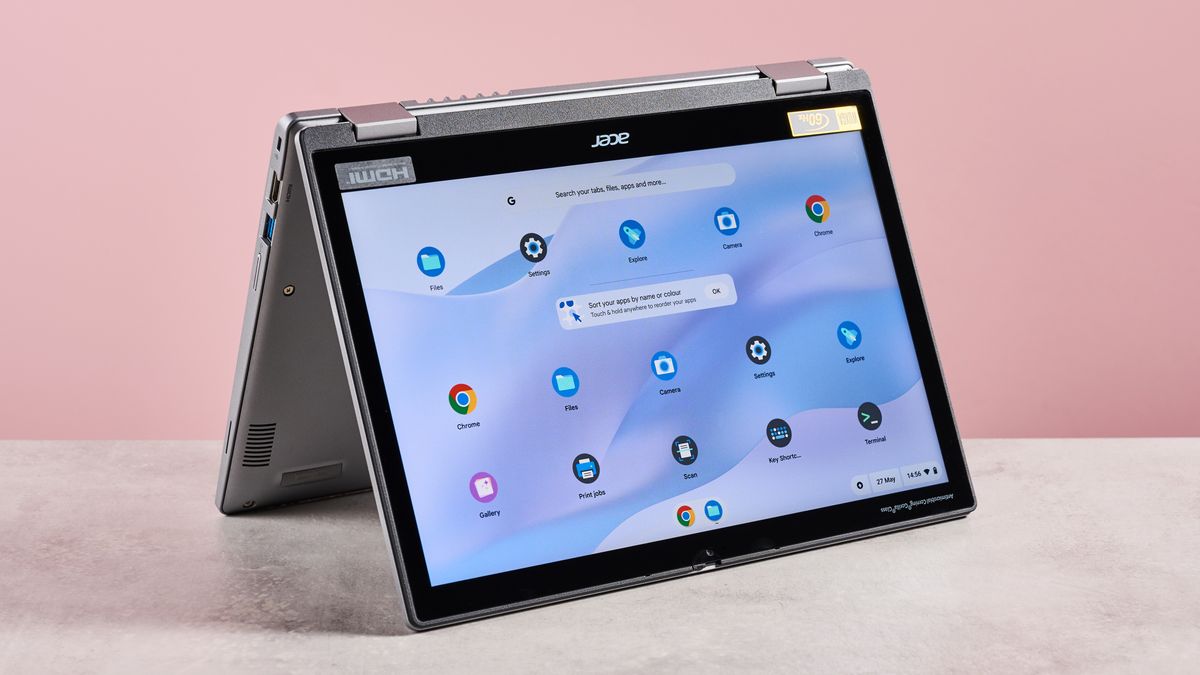
Furthermore, the small size of many Chromebooks allows for convertible models, often equipped with touchscreens and 360-degree hinges, enabling a versatile user experience without the need for a traditional keyboard.
The Acer Chromebook Plus 514 exemplifies what a Chromebook should be, and it’s much better value than a Windows laptop or MacBook, too.(Image credit: Future)
Although this versatility is beneficial, even the best convertible Chromebooks may not match the usability of top tablets due to their bulk. They are often better positioned when placed upside down or in a tent configuration, providing a stable touch interface. However, tablets can use folio cases with keyboards and trackpads, pairing solid performance with portability—making them strong contenders against Chromebooks.
Nevertheless, for those already invested in Google’s ecosystem, a Chromebook may integrate more seamlessly than an iPad would. Plus, if you prefer working from a stable surface like a couch or bed, a Chromebook’s solid build provides a more reliable typing experience than a flimsy tablet keyboard.
Lacking Power?
However, one of the main shortcomings of Chromebooks is their limited power when compared to the latest Windows and MacBook offerings. Typically, Chromebook CPUs are not as robust, and models often feature no more than 8GB of RAM.
This limitation may not pose a problem if your requirements involve basic browsing, document creation, or streaming, but for heavy-duty tasks or multitasking, they may fall short. Fortunately, recent models, such as the Chromebook Plus, have begun addressing this issue by offering increased performance levels.
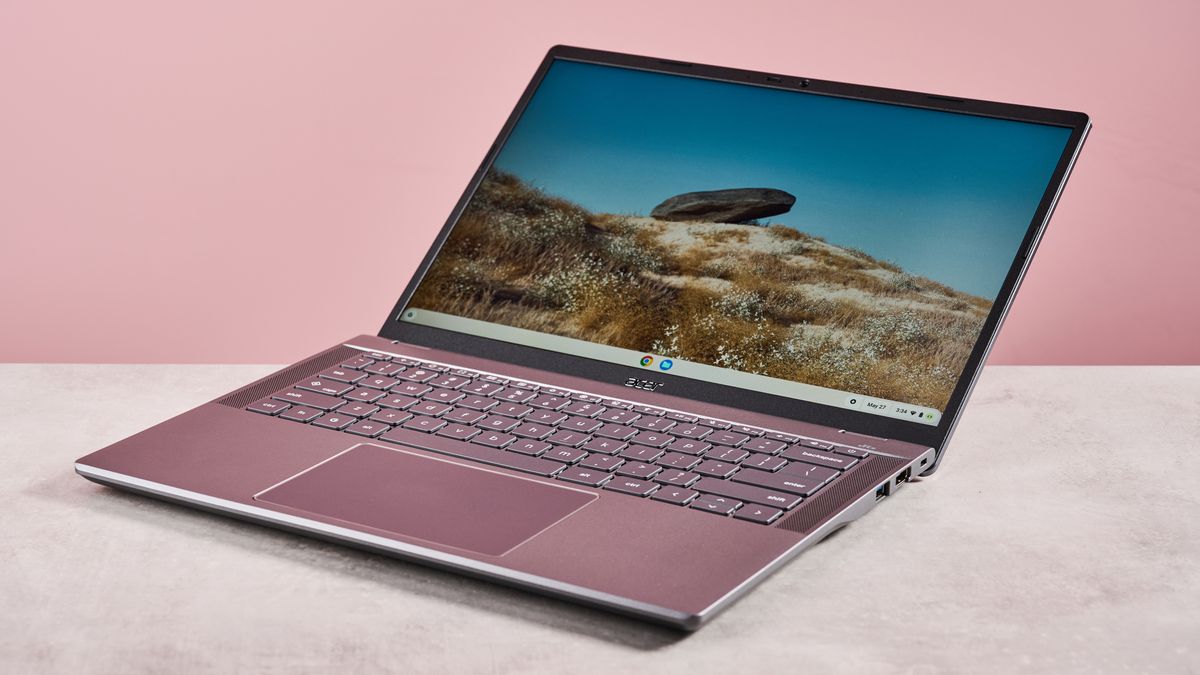
Some Chromebook Plus models can even handle light gaming, though they still cannot match dedicated gaming laptops. Moreover, they incorporate features like a Quick Insert key, which enhances productivity by providing instant access to a pop-up menu for adding links or opening recent files—a useful finger-saving feature for students.
A Chromebook Plus is guaranteed to have a Full HD webcam – great for remote learning, or video calls with family while you’re away at college.(Image credit: Future)
Despite these performance improvements, a lingering challenge remains: the operating system itself. While ChromeOS has evolved over the years, it still lags behind Windows and macOS in terms of capabilities and flexibility. Power users often find it limiting, as it lacks deep customization options.
Moreover, software compatibility poses a significant issue; many high-end applications are not available on the platform. Those requiring specialized software for creative studies may find themselves at a disadvantage. Even existing Chrome apps are set to phase out by October 2028, as Google pushes toward a unified Android and ChromeOS ecosystem. While numerous Android applications already function on Chromebooks, the merging aims to enhance optimization and usability.
As great as Chromebooks are, ChromeOS does have some limitations when it comes to software compatibility.(Image credit: Future)
Closing Thoughts
Ultimately, whether a Chromebook is right for your studies hinges on your specific needs for power and versatility. If you primarily need a device for note-taking, simple word processing, or light entertainment, Chromebooks may be a fitting choice.
While they may not rival premium laptops in terms of processing power or versatility, their affordability makes them a practical option for many students. Embracing the simplicity of a Chromebook could very well support you throughout your academic journey.
You might also like…
For further insights into this topic, check out the detailed analysis Here.
Image Credit: www.techradar.com


